
Microsoft Teams Collaboration & Meetings
In Microsoft Teams, you can meet, call, chat and collaborate with your organisation in one central place. Built for hybrid work, Microsoft Teams is like your meeting room. Your inner loop, where you can connect, collaborate and get things done with the people you work with regularly.



A new era of teamwork in the world of hybrid work
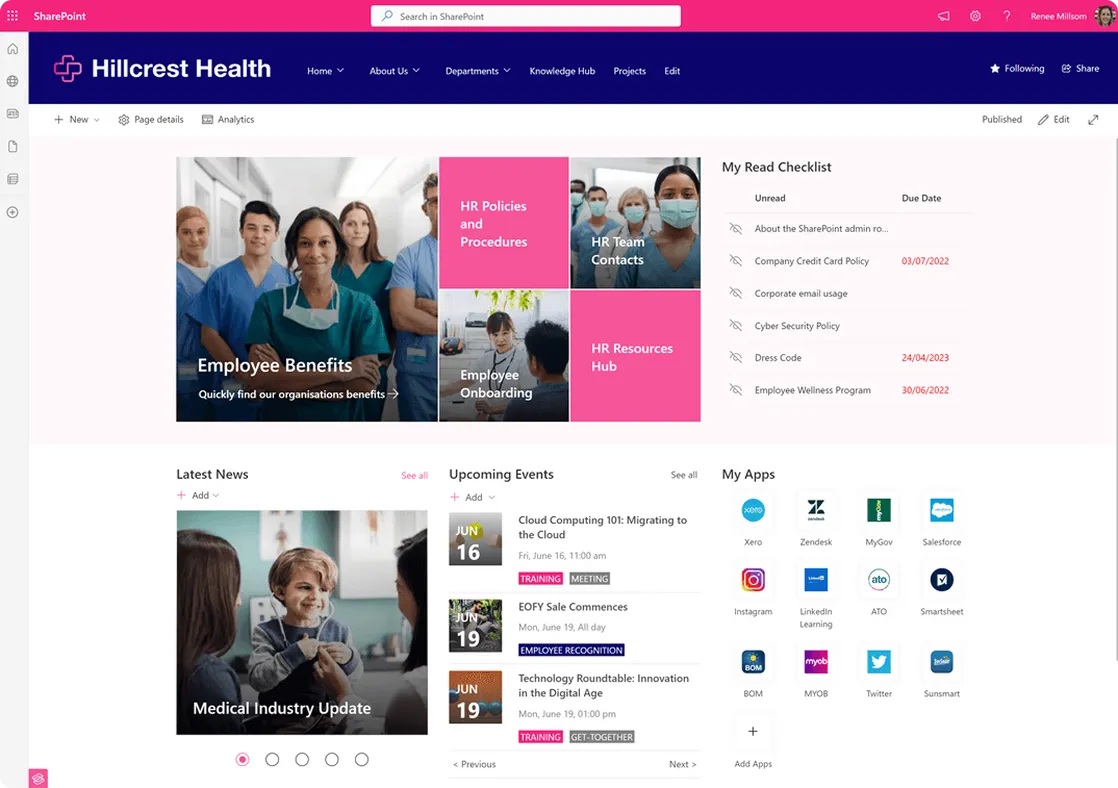
Microsoft Teams is a fast-growing platform which creates a new form of digital workplace that can seamlessly integrate with your SharePoint and Microsoft 365 intranet. However, without a plan for deploying and governing Microsoft Teams, your organisation can face many challenges such as team sprawl, user adoption, and decreased employee engagement - impacting productivity and collaboration across many business areas.
Microsoft Teams is the collaboration platform that empowers a new era of teamwork in the world of hybrid work.


Working better together
We supercharge Microsoft Teams to boost collaboration, reduce email communications, and house all conversations, notes, files, apps in one central, secure place.
Our consultants specialise in the following Microsoft Teams services:
• Microsoft Teams implementation
• Integration with SharePoint, OneDrive, Planner, other Microsoft 365 platforms
• Document Migration
• Governance of Teams and Channels
• User adoption and training
• Connecting Teams with your intelligent intranet
• Cloud-based security
We're ready to weave some magic for you. Get in touch today.
What is Microsoft Teams?
Microsoft Teams is the hub for teamwork in Microsoft 365 — chat, meetings, calls and shared files in one application. It is where most organisations now do their day-to-day communication, which makes how you structure it more consequential than people expect.
Teams, channels and chats — and when to use each
A team is a group of people with shared membership and shared content. Inside it, channels divide the work into topics, so conversations stay findable rather than disappearing into one long thread. Standard channels are visible to everyone in the team, private channels restrict access to a subset, and shared channels let you bring in people from outside the team — including other organisations — without adding them to everything.
Chat is for quick, informal exchanges between individuals or small ad hoc groups. The practical rule we give clients: if the conversation matters to the work, and someone joining next month would benefit from reading it, it belongs in a channel. If it is a quick question, chat is fine. Most Teams messes start with important decisions being made in private chats where nobody else can find them.
Meetings and calling
Teams handles scheduled meetings, instant calls and live events, with recording, transcription and screen sharing built in. With Teams Phone it also becomes a full phone system — a business number, call queues and auto attendants — connected to the public network through a Microsoft calling plan or Direct Routing via a telco. For many organisations that is a straightforward way to retire an ageing PBX and have calls, chat and meetings live in one place.
The relationship with SharePoint
This is the part most people miss. Every team is backed by a SharePoint site, and the Files tab in each channel is simply a folder in that site's document library. Teams is the conversation layer; SharePoint is where the content actually lives and where structure, metadata and permissions are managed. Once you see it that way, the division of labour is obvious: Teams for working together day to day, SharePoint for publishing to the whole organisation and for anything that needs to be findable in two years.
Keeping Teams under control
Left alone, Teams sprawls. Duplicate teams appear, membership drifts, files scatter, and staff stop trusting that they are looking at the current version of anything. The fixes are unglamorous but effective: a request and approval path for new teams, naming conventions, archiving for teams whose work has finished, guidance on guest access, and a clear answer to “where does this go?”. We put that structure in place without making Teams feel like paperwork — see our modern workplace services or get in touch.
Store Once, Publish Everywhere
SOPE: Store Once Publish Everywhere - our name is our mantra. Imagine a single source of truth where business content is centralised, up to date, and can be accessed anywhere from any device.


Microsoft 365 & SharePoint Consultants
Our team has helped hundreds of businesses undergo digital transformation by harnessing the power of Microsoft 365 & SharePoint. Backed by a team of Consultants and Developers, Sope can improve your business efficiency and drive cost reductions.

Modern Workplace
The Modern Workplace practice helps organisations create intuitive, secure and scalable digital workplaces that enhance collaboration, knowledge management and employee experience.

Information & Automation Services
The Information & Automation Services practice empowers organisations to optimise operations through intelligent automation, robust data governance and AI-driven solutions.

SopeCare
A trusted extension of your team. Always-on Microsoft 365 expertise to keep your digital workplace humming. Built for growing organisations who need more from Microsoft 365.
Most Common FAQs
What is Microsoft Teams?
Microsoft Teams is the hub in Microsoft 365 for chat, meetings, calls and file collaboration. Each team gets channels for conversation and a connected SharePoint site for its files, which means documents and the discussion about them live in the same place rather than scattered across inboxes.
What is the difference between Microsoft Teams and SharePoint?
They work together rather than competing. Every Microsoft Team is backed by a SharePoint site — Teams is the conversation and collaboration layer, while SharePoint stores, structures and publishes the content. Teams suits day-to-day teamwork; SharePoint suits company-wide publishing, document management and intranets. Most organisations need both, used deliberately.
Can Microsoft Teams replace our phone system?
Yes, with Teams Phone. It adds proper calling with a business number, connected to the public phone network either through a Microsoft calling plan or Direct Routing via a telco. It is a common way to retire an ageing PBX and bring calls, chat and meetings into one place.
How do we stop Microsoft Teams sprawl?
Unmanaged team creation leads to duplicate teams, orphaned files and staff who cannot find anything. The fix is light-touch governance: naming conventions, a request and approval path, expiry and archiving policies, sensible limits on who can create teams, and clear guidance on when to use a team versus a channel versus a chat. We help put that structure in place without making Teams feel bureaucratic.
Can we use Microsoft 365 Copilot in Teams?
Yes — Copilot works in Teams for meeting recaps, summarising long chat threads and drafting follow-ups. It draws on the content and permissions you already have, which is exactly why tidying up your SharePoint structure and access first makes Copilot noticeably more useful. We cover that groundwork in our guide to preparing SharePoint for Microsoft Copilot.
We're ready to weave some magic for you. Get in touch today
Our friendly team are always available to offer advice and answer your questions.